APPOINTMENTS / CLIENT COMMUNICATION / MAKE.COM
Booking confirmed.
Reminder handled.
I built two connected Make scenarios: one handles new bookings, and the other finds upcoming appointments, sends reminders and records which reminders have been sent.
- Make.com
- Tally
- Notion
- Gmail
- Telegram
THE RESULT
Keep the client informed.
Keep the office in sync.
The booking test delivered a confirmation and created the appointment. The reminder test delivered the upcoming-appointment email and checked Reminder Sent. A later run stopped before Gmail when no eligible appointment remained.
- 2 scenarios
- Booking intake + scheduled reminders
- 24-hour window
- Find upcoming appointments with unsent reminders
5.1 / BOOKING INTAKE
- Tally booking form
- Router
- Confirmation email
- Team Telegram alert
- Notion appointment
5.2 / APPOINTMENT REMINDERS
- Search upcoming Notion appointments
- Check appointment and recipient exist
- Send reminder email
- Mark Reminder Sent
01 / THE PROBLEM
Every booking creates more work than a calendar entry.
The client needs confirmation, the team needs the details, and someone has to remember the follow-up. Keeping these steps connected makes the next action clear.
02 / THE BOOKING
Capture the details. Send the confirmation.
Tally 8 receives the booking. Router 3 branches to Gmail 4 for the confirmation email, Telegram 5 for the team alert and Notion 6 for the appointment record. The record includes the client’s name, email and appointment date/time.
03 / THE REMINDER
Look ahead and send what is due.
The reminder scenario is configured to check every 15 minutes when enabled. Notion 1 searches appointments from the current time through the next 24 hours where Reminder Sent is unchecked. An eligible record passes to Gmail 2, then Notion 3 checks Reminder Sent.
TESTED HANDOFFS
From booking to reminder—and a clean stop.
- The booking scenario completed the email, Telegram and Notion branches.
- The confirmation email reached the test inbox.
- The reminder email showed October 31 at 5:20 PM, matching the Notion record at 17:20.
- Reminder Sent was checked after delivery.
- The next run passed zero records through the guard filter and left Gmail unexecuted without an error.
Sample bookings are shown in the screenshots. The booking and reminder stages were tested separately; the appointment was moved into the reminder window for the second stage.
BOOKING / REMINDER / REPEAT RUN
Inspect the connected workflow.
Open a screenshot to see the details at full size.
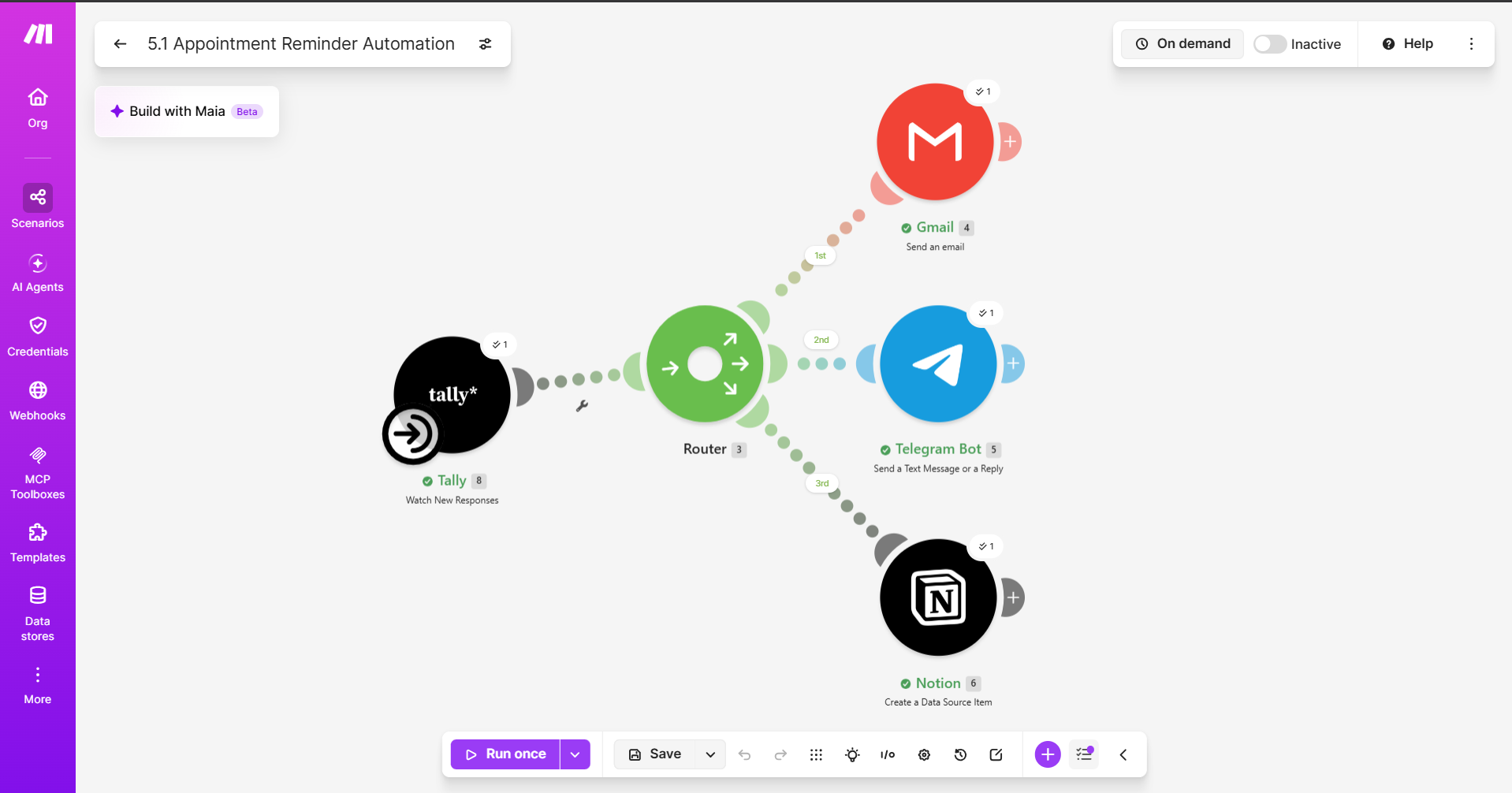
One booking, three connected actions.
Successful Tally intake run through Router 3, Gmail confirmation 4, Telegram alert 5 and Notion appointment creation 6.
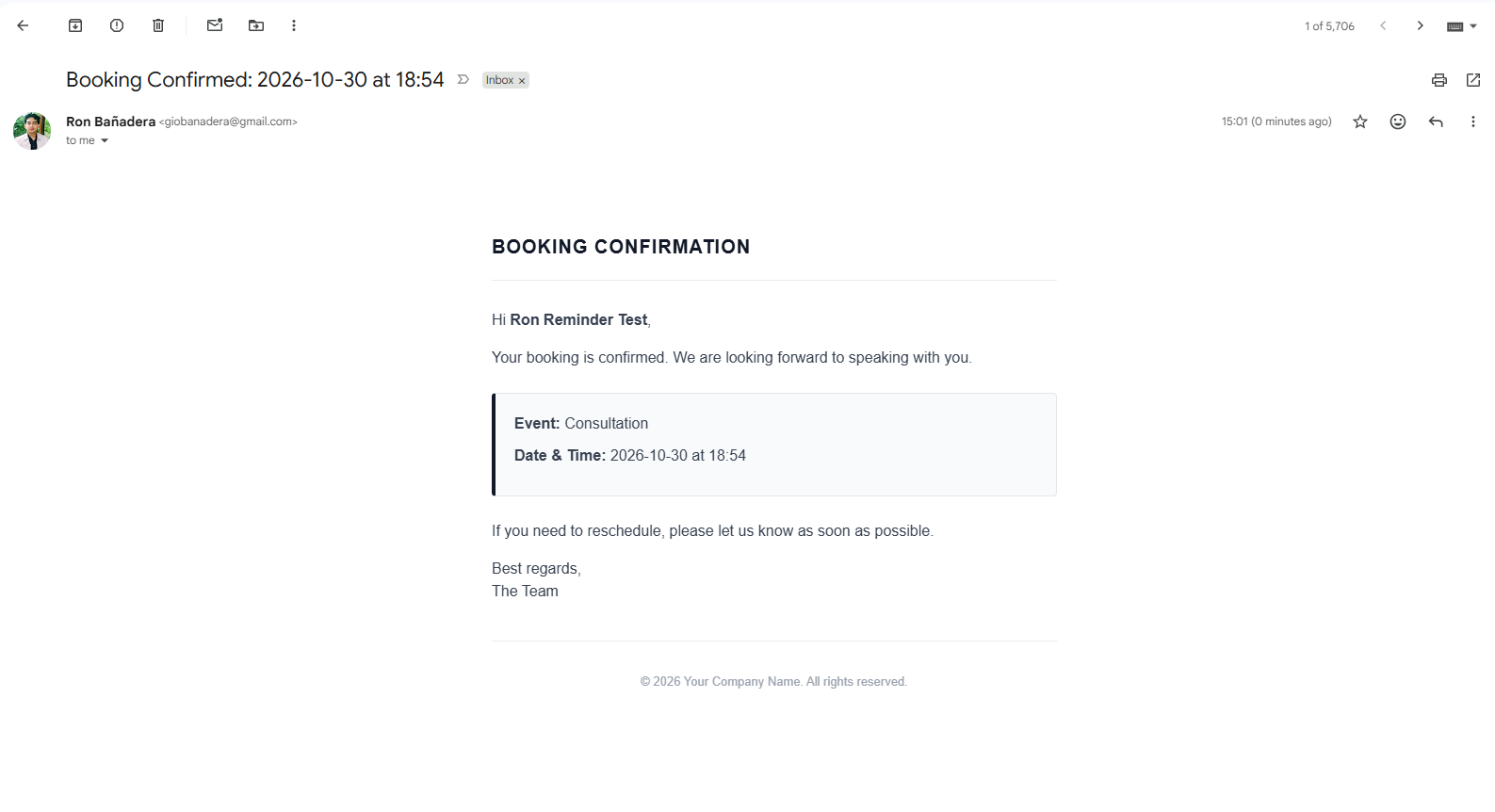
The booking confirmation reaches the inbox.
Received confirmation email for Ron Reminder Test, showing the October 30 booking used in the intake test.
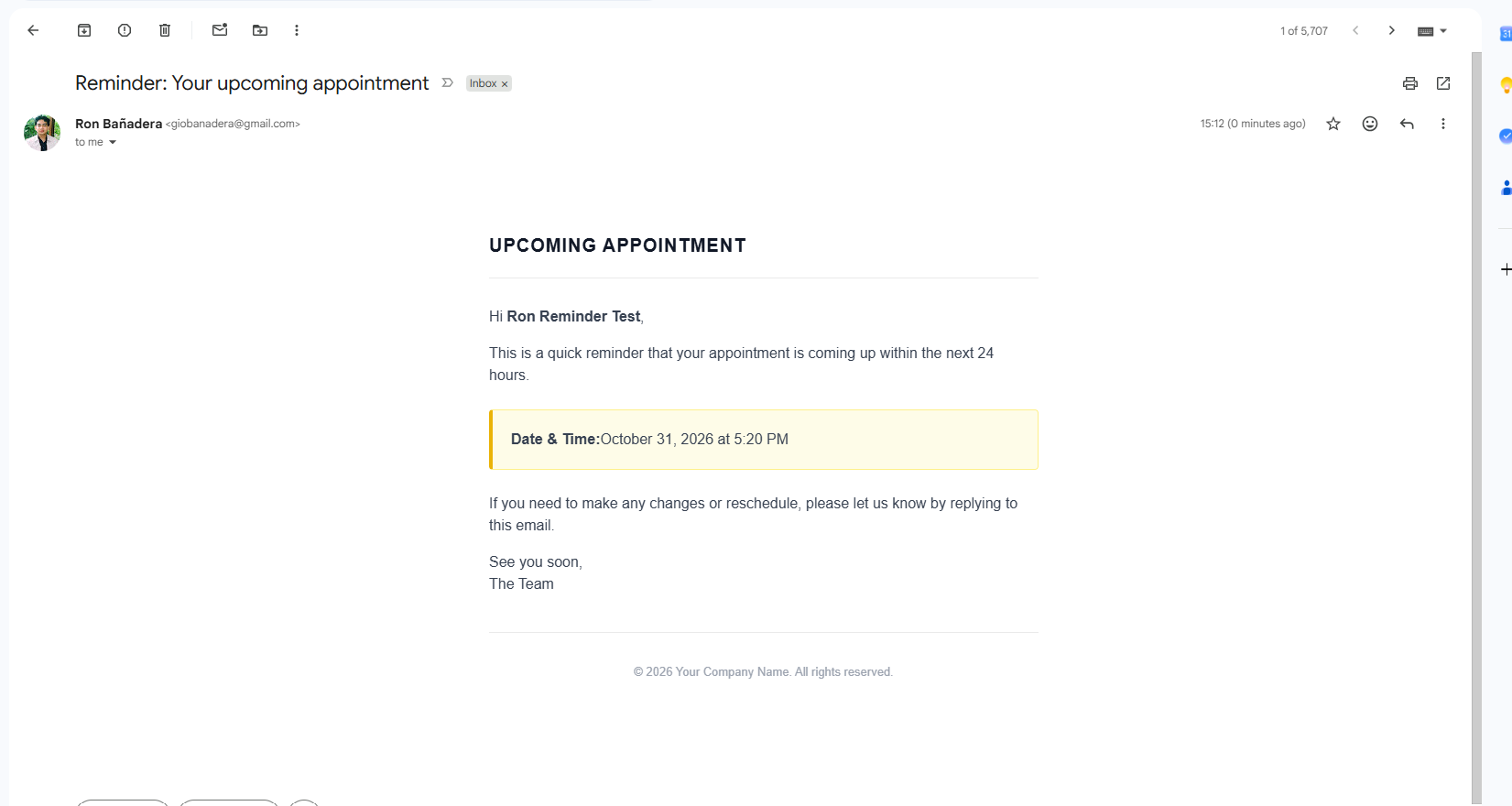
A reminder with the appointment’s date and time.
Received upcoming-appointment email for October 31, 2026 at 5:20 PM. The appointment was moved to October 31 for the reminder test.
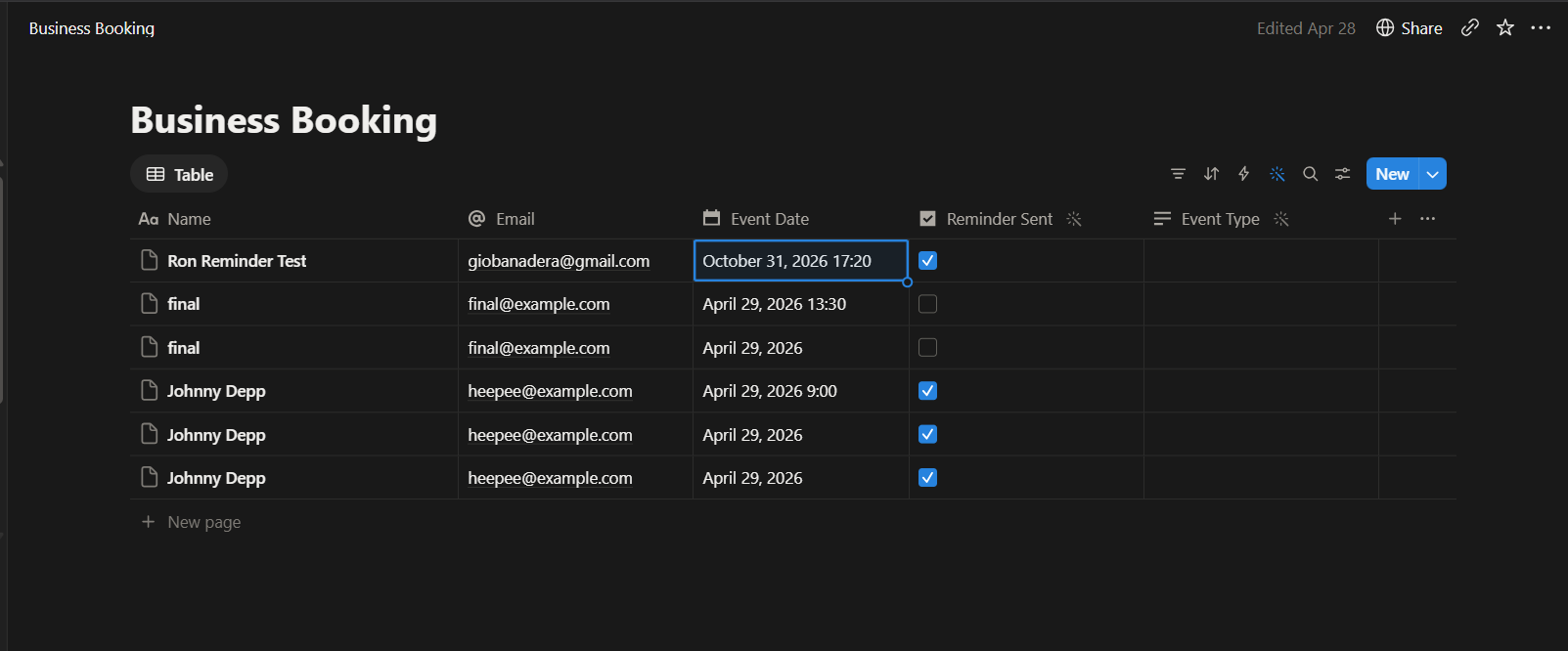
Mark the reminder as sent.
Notion shows Ron Reminder Test scheduled October 31 at 17:20, with Reminder Sent checked after email delivery.
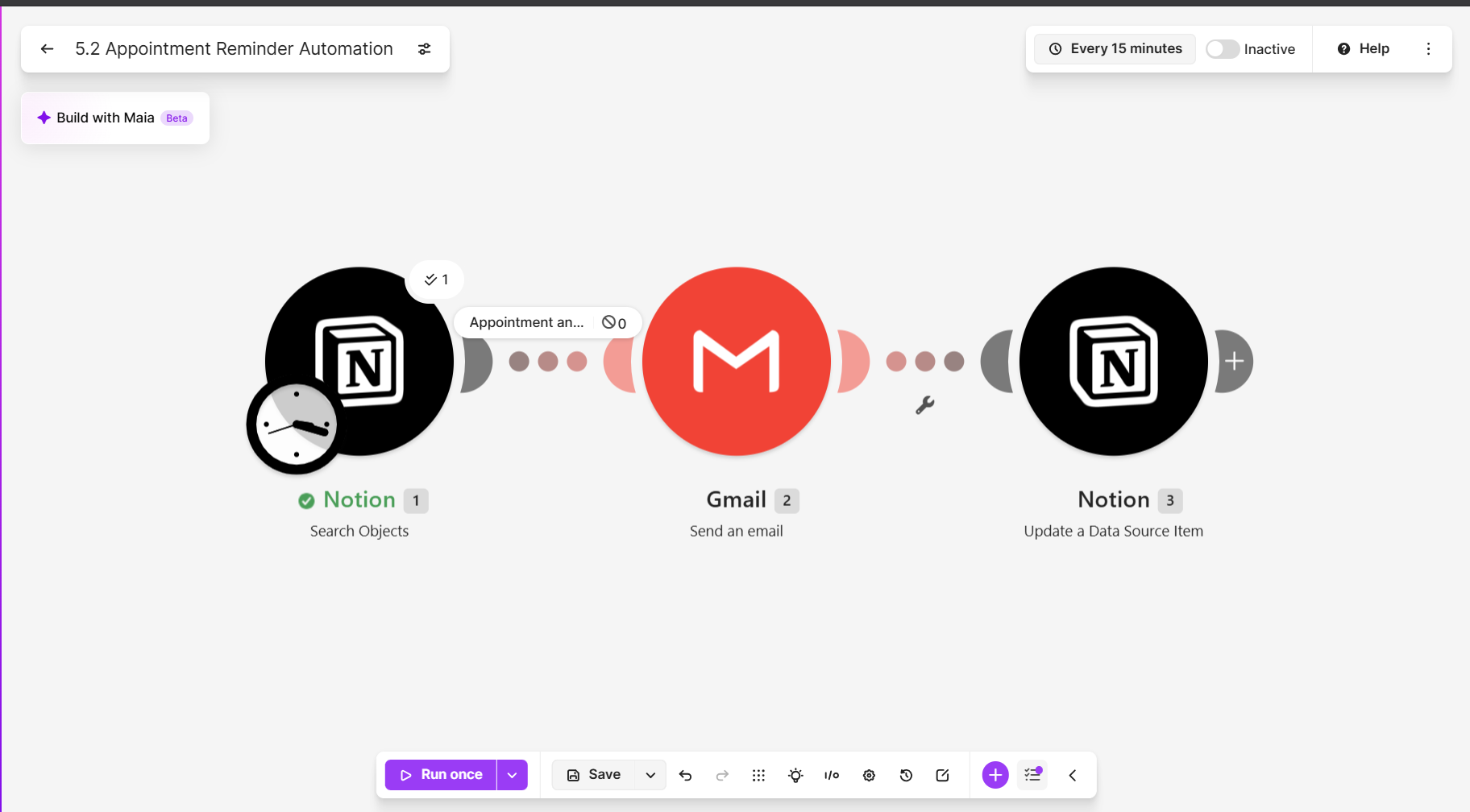
A later run stops cleanly when there is nothing to send.
Notion 1 completed and the appointment-and-recipient filter passed zero records; Gmail 2 and Notion 3 did not execute, with no error shown.
PUT THE TOOLS TO WORK
Connect your bookings
with the follow-up.
Bring the form, appointment records, client emails and team notifications into one connected process.
Discuss your appointment workflow ↗