CLIENT ONBOARDING / MAKE.COM
A new client.
A ready workspace.
I connected Tally, HubSpot, Google Drive and Gmail so one onboarding submission creates the contact, sets up a client folder and sends a personalized welcome email.
- Make.com
- Tally
- HubSpot CRM
- Google Drive
- Gmail
THE RESULT
Details in. Onboarding underway.
The recorded run connects the form submission to a CRM contact, a named folder and a received welcome email with the folder link.
- 4 connected apps
- Tally → HubSpot → Drive → Gmail
- 4 operations
- Successful run recorded October 27, 2026
THE WORKFLOW
- Tally submission
- Create or update contact
- Create client folder
- Send welcome email
01 / THE PROBLEM
Starting a client relationship should not mean copying the same details into three tools.
02 / THE BUILD
Collect once. Carry the details forward.
Module 1 receives the Tally response. Module 2 creates or updates the HubSpot contact using the submitted email, name, phone, selected service package and business objective. Module 3 creates a client folder in Google Drive. Module 4 sends the welcome email and inserts the new folder’s link.
03 / THE EMAIL
A personal welcome with the next step attached.
The email uses the client’s first name in the subject and greeting. Its Access Client Portal button points to the Google Drive folder created earlier in the same run.
RECORDED RESULTS
Follow the submission through the tools.
- The Make history records a successful run using four operations.
- HubSpot shows the Ron Pee sample contact.
- Google Drive shows the corresponding Client: RonPee folder.
- Gmail shows the received Welcome to the Team, Ron email.
BUILD & RESULTS
See each part of the handoff.
Open a screenshot to inspect it at full size.
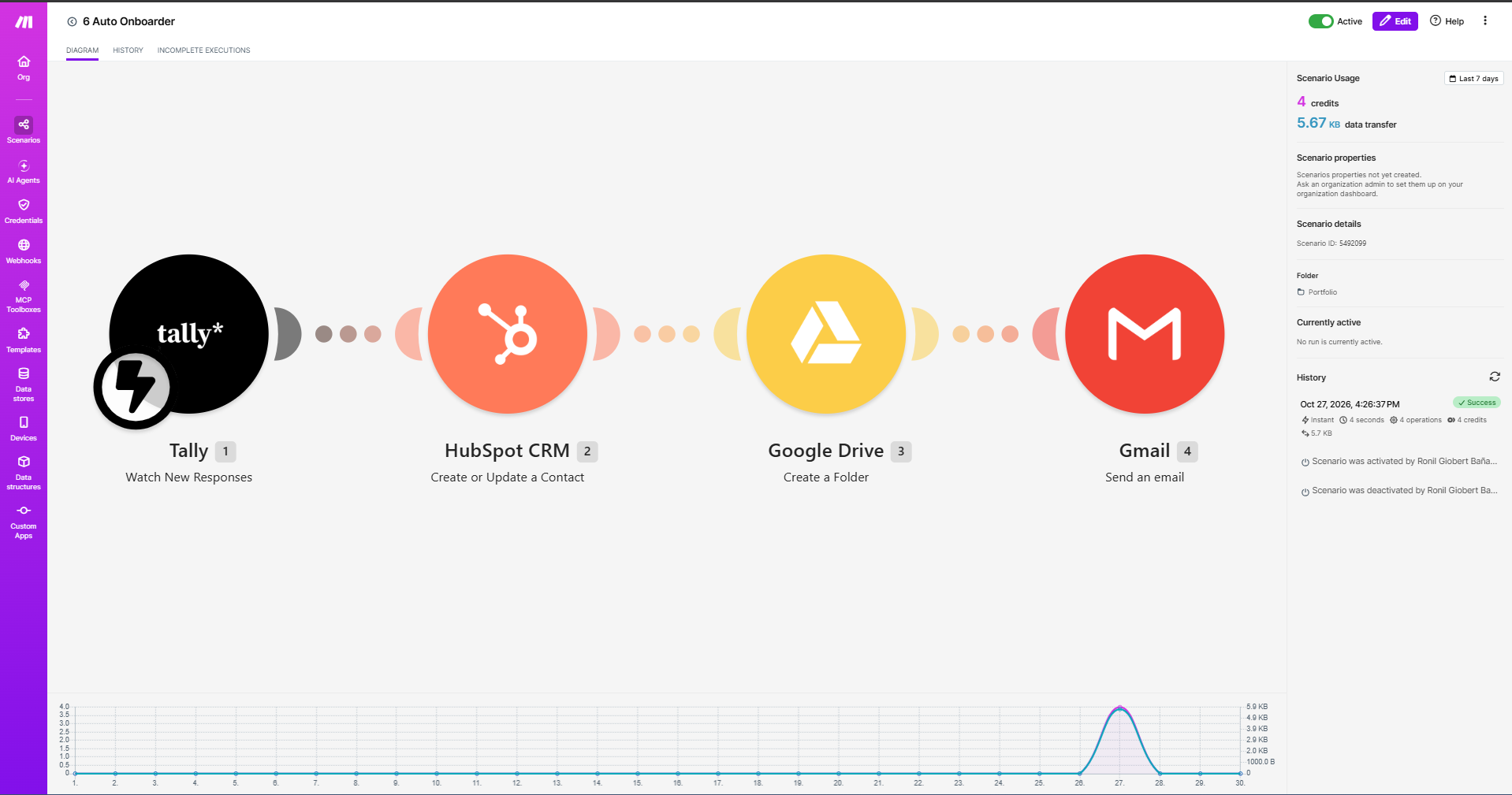
Four connected steps. One onboarding flow.
Make scenario: Tally 1, HubSpot CRM 2, Google Drive 3 and Gmail 4; a successful four-operation run is recorded.
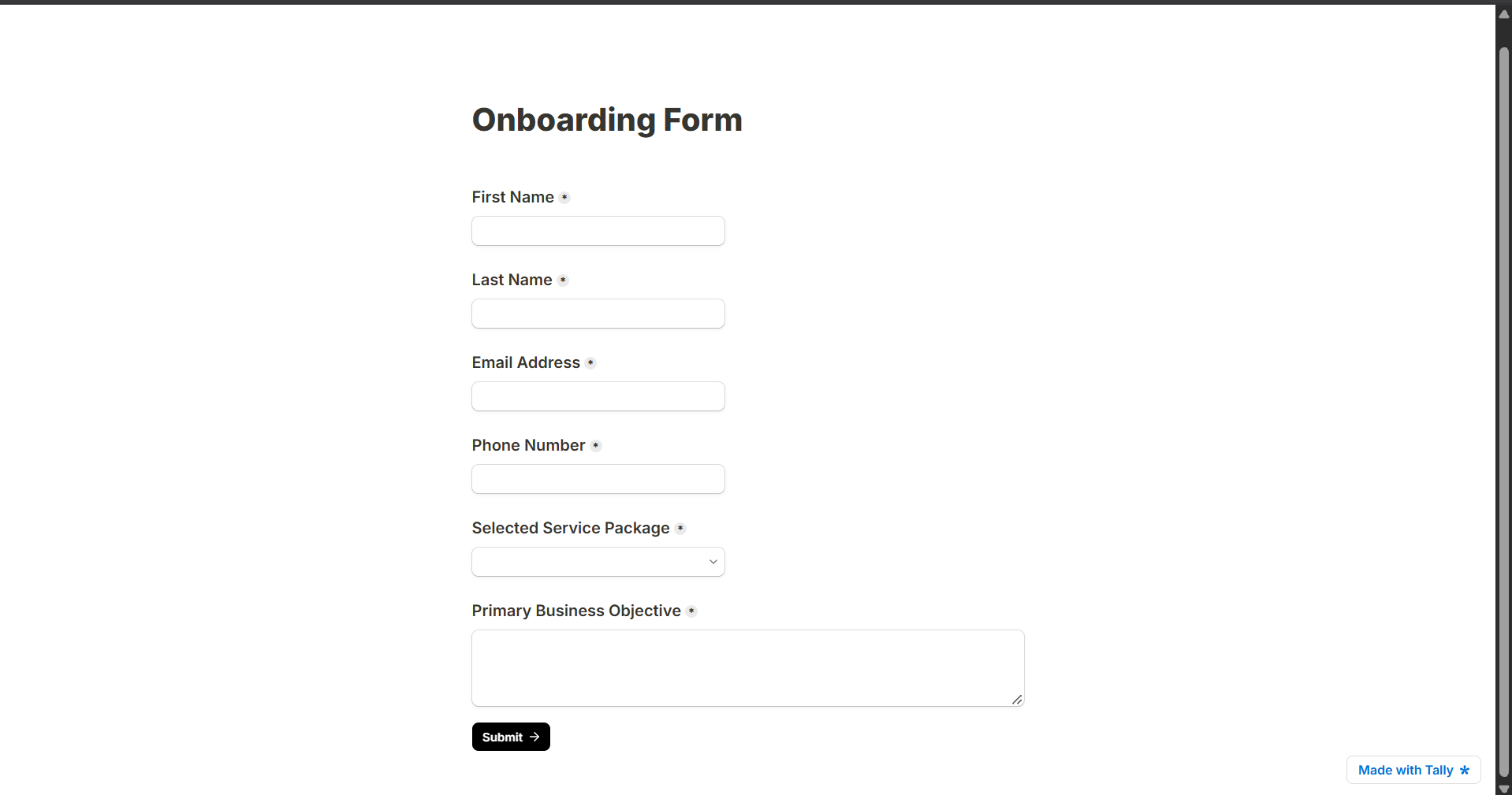
Capture the details once.
Tally onboarding form collects name, email, phone, service package and business objective.
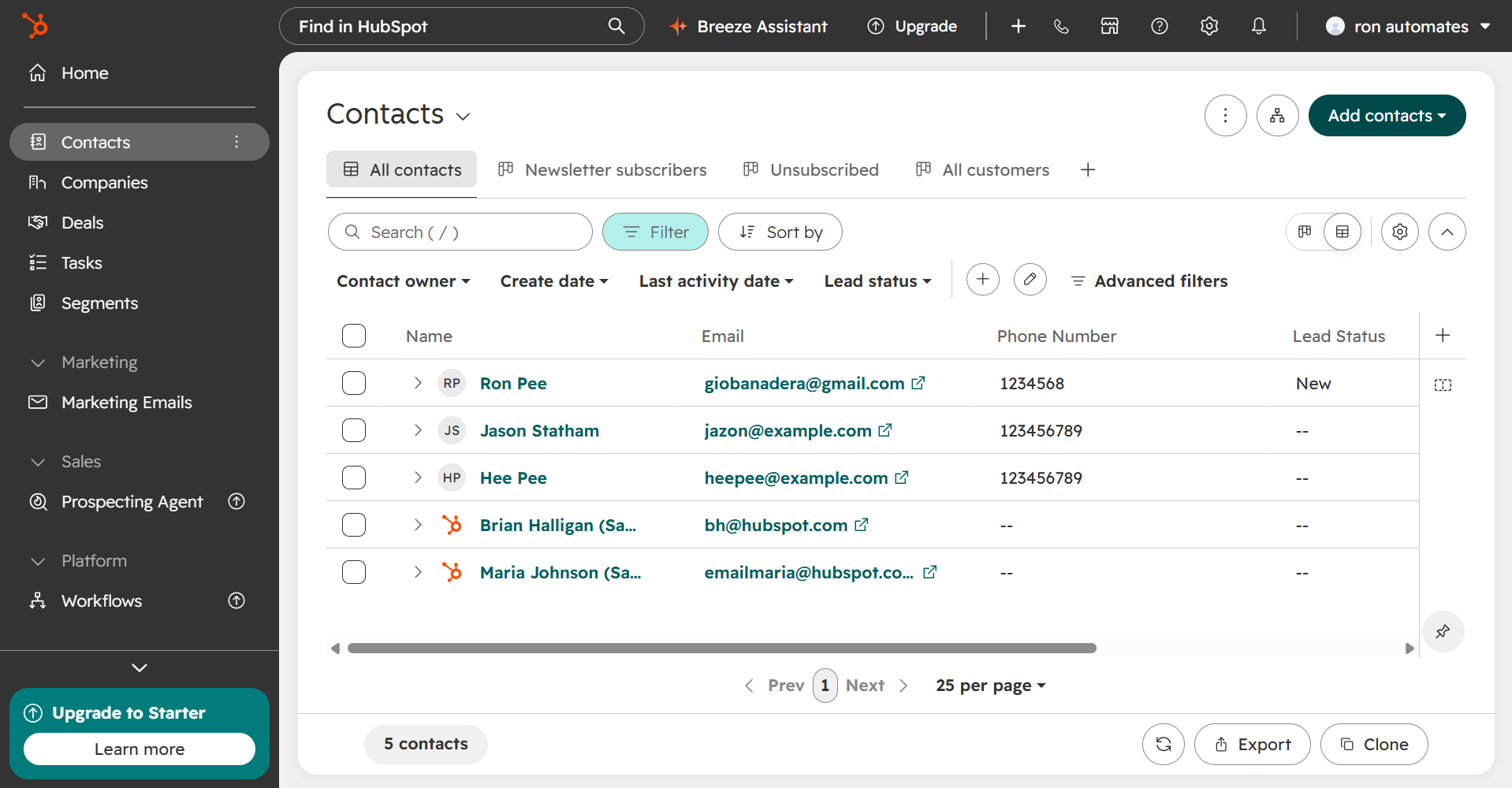
Put the client in the CRM.
HubSpot contacts include the Ron Pee sample record alongside other sample contacts.
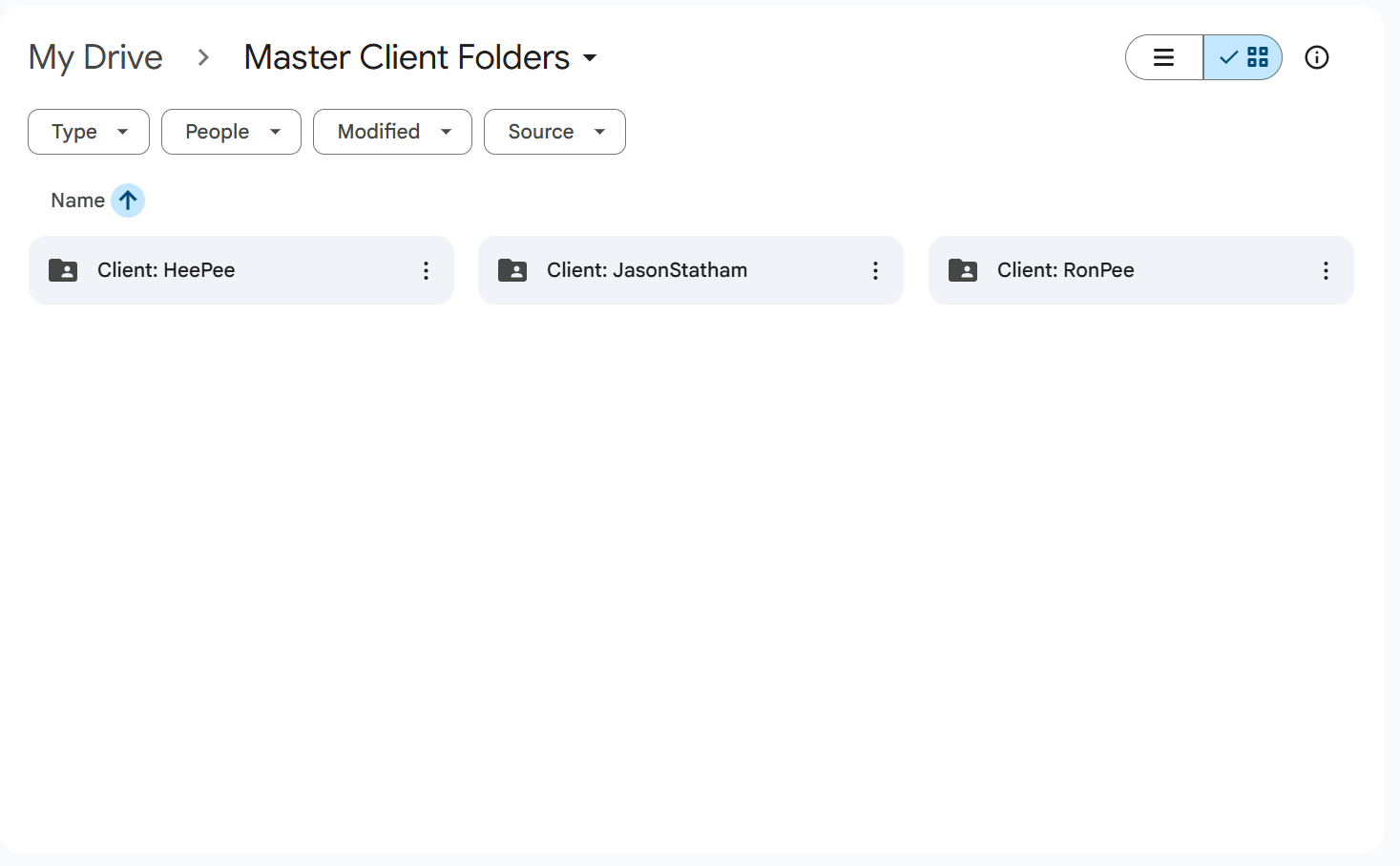
Create a named client folder.
Google Drive Master Client Folders contains Client: RonPee and two other sample client folders.
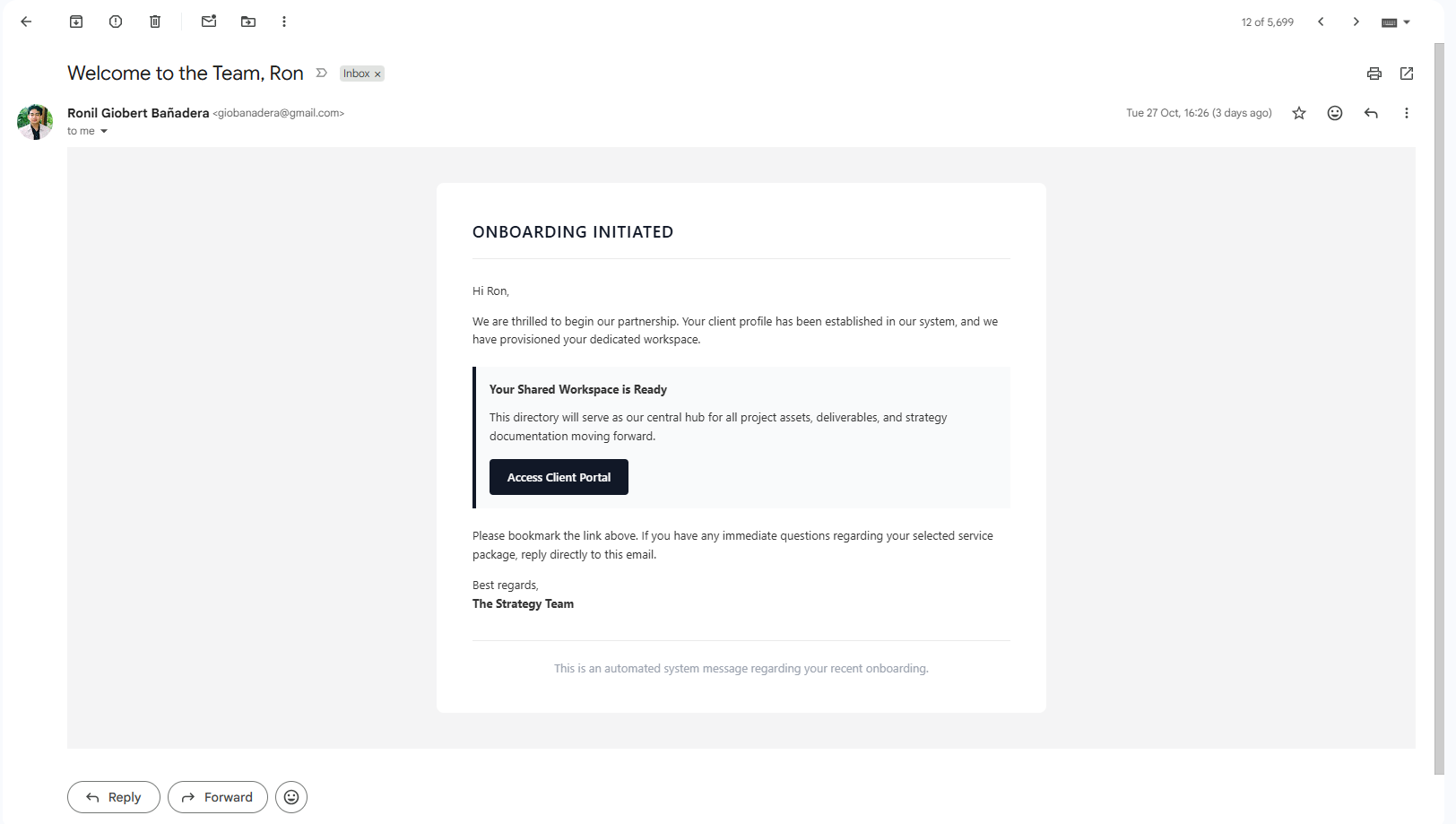
Send the welcome email with the folder link.
Received welcome email addressed to Ron, with an Access Client Portal button.
HANDOFF / DOCUMENTATION
A workflow someone else can operate.
I wrote an operating guide covering setup, test checks, failed-run handling and an onboarding tracker.
Read the operating guide ↗PUT THE TOOLS TO WORK
Make the first handoff
an automatic one.
Connect your intake form, CRM, client files and welcome email.
Discuss your onboarding workflow ↗