Lead management
LiveLead Intake & CRM Handoffs
Give every valid inquiry a place in the CRM and a clear next action for the person following up.
- Zapier
- GoHighLevel / LeadConnector
- Zapier Tables
- Trello
- Gmail
Business value
Follow up with the right context
Validated inquiries reach the CRM, the follow-up board and the owner inbox. Sequential repeats update the existing records.
- 22 steps
- In the final published Zap
- 2 routes
- Qualified or Nurture
How the workflow connects
- Inquiry form
- validation & classification
- CRM contact / opportunity
- Trello handoff
- owner email
- saved checkpoint
01 / The problem
A new inquiry is only useful if someone can act on it. Repeated submissions can also scatter the latest information across duplicate contacts and tasks.
02 / The build
What I built
I built an inquiry history and a separate handoff registry. The workflow normalizes email, checks required inputs, qualifies the request and creates or updates the corresponding CRM contact, opportunity and Trello card. Each submission keeps its own history.
03 / Validation
What I tested
- Fresh Qualified and Nurture inquiries reached the correct CRM and Trello stages, with received owner emails.
- An uppercase repeat email matched the existing contact and card. The updated request moved that same card to the appropriate list.
- A negative budget stopped at validation before the CRM write.
- A deliberately incorrect card ID exposed a failed move. Restoring the stored ID recovered that isolated action without recreating the card.
Recorded walkthrough · about 8 minutes
Watch the Zapier build.
Build & test evidence
Explore the screenshots.
Open any image at full size to inspect the details.
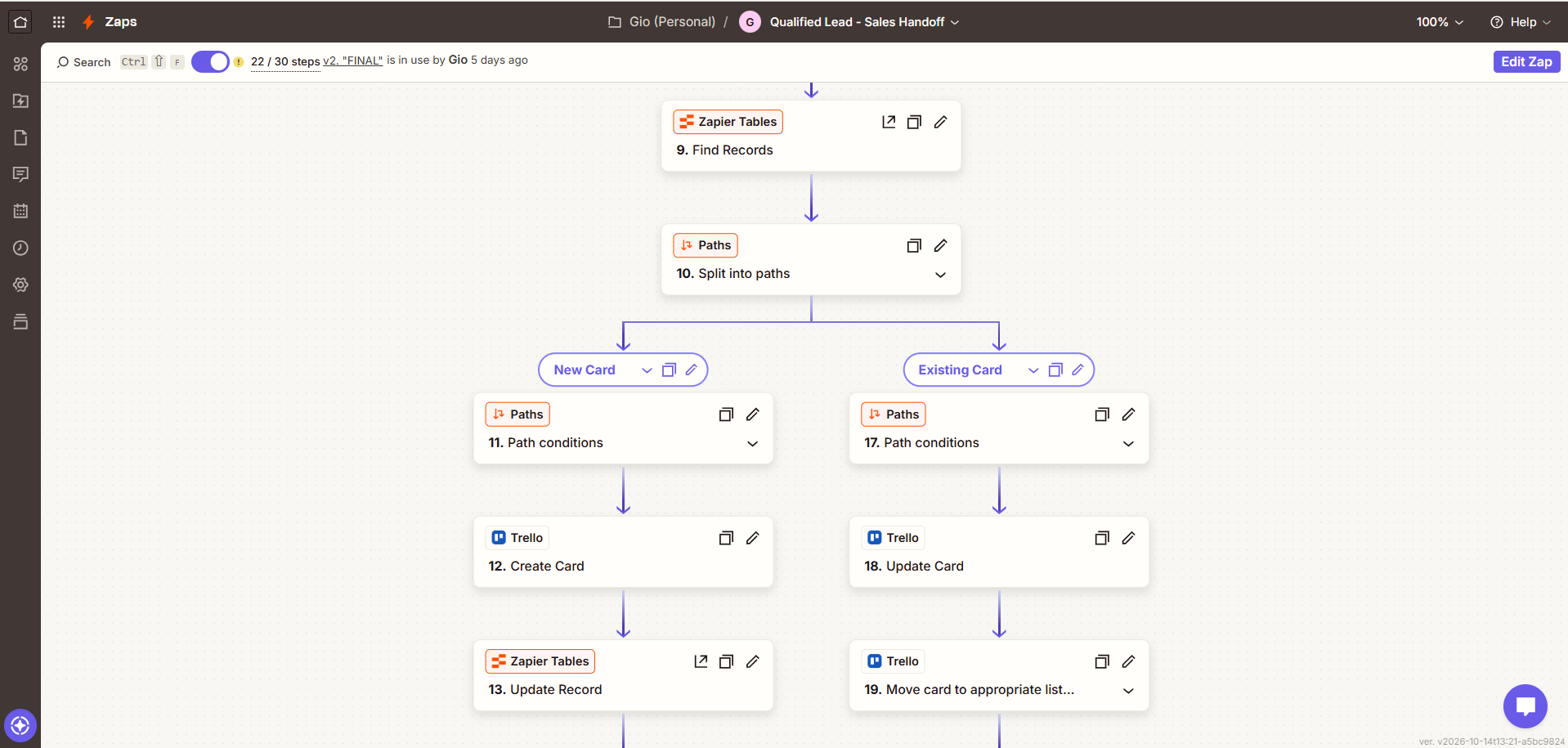
Every inquiry follows a New Card or Existing Card handoff path.
Full size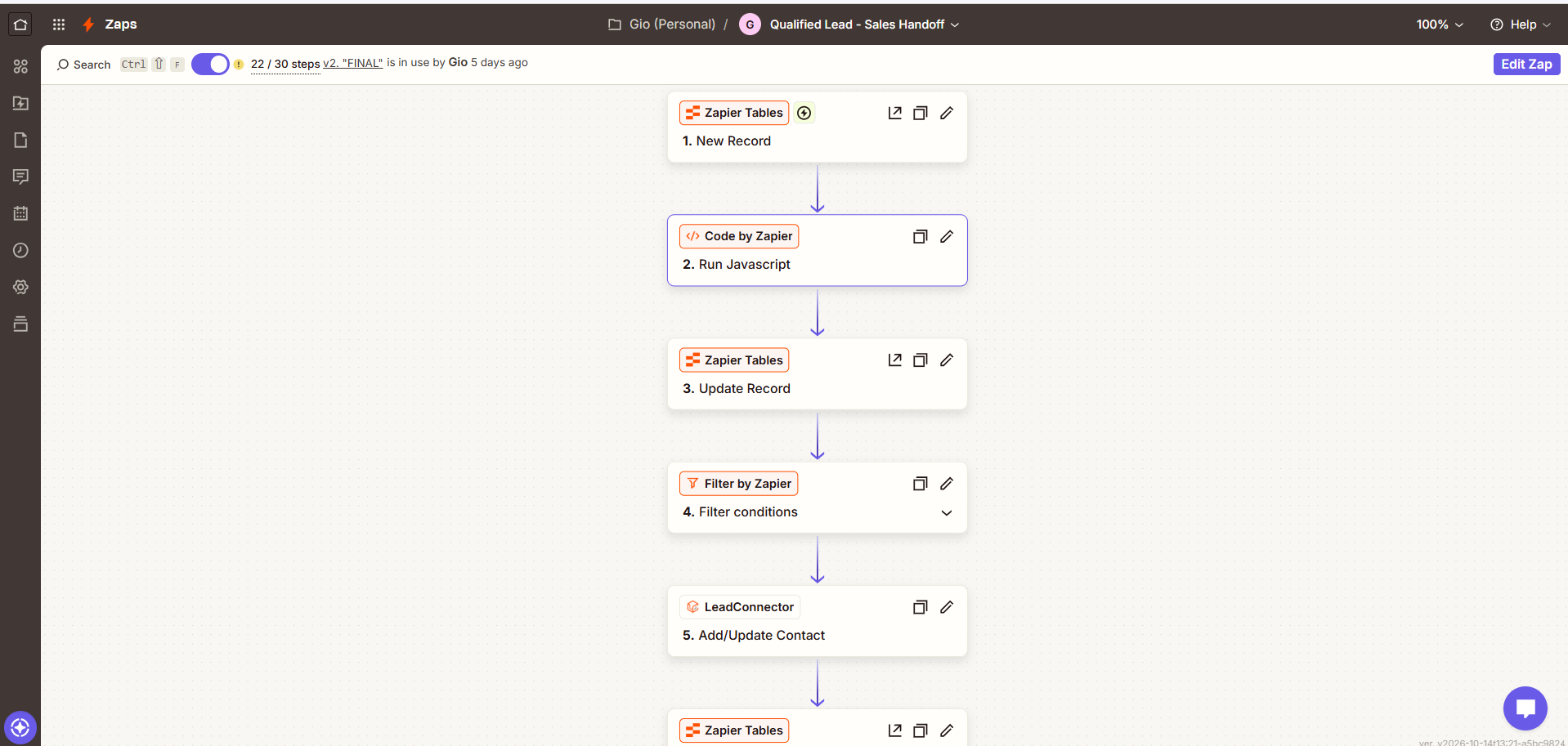
Steps 1–5 validate the inquiry, save its classification and update the CRM contact.
Full size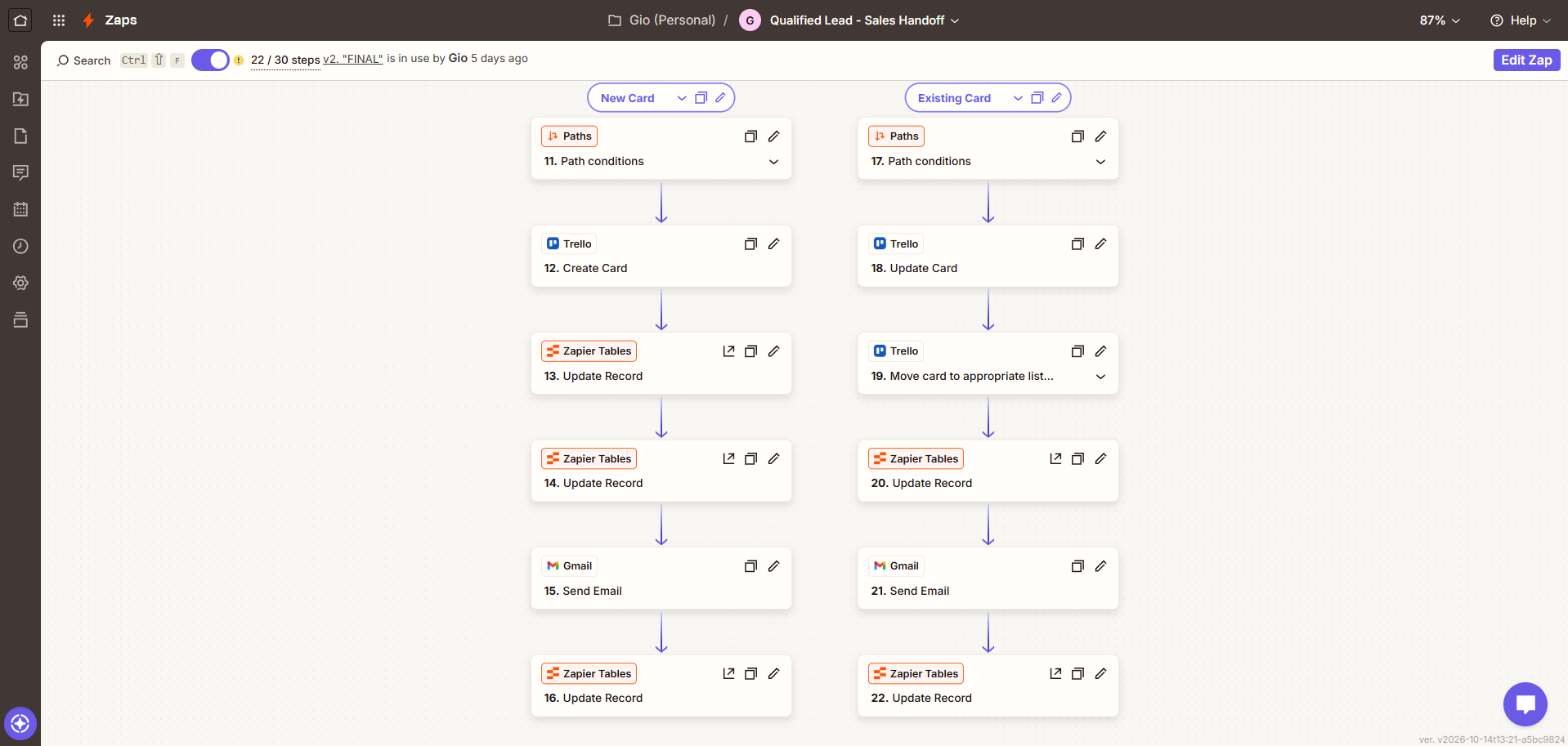
Create or update the Trello follow-up card, notify the owner and save the handoff checkpoint.
Full size
Two Qualified leads and one Nurture lead, routed into the Harbor Commerce sales board.
Full size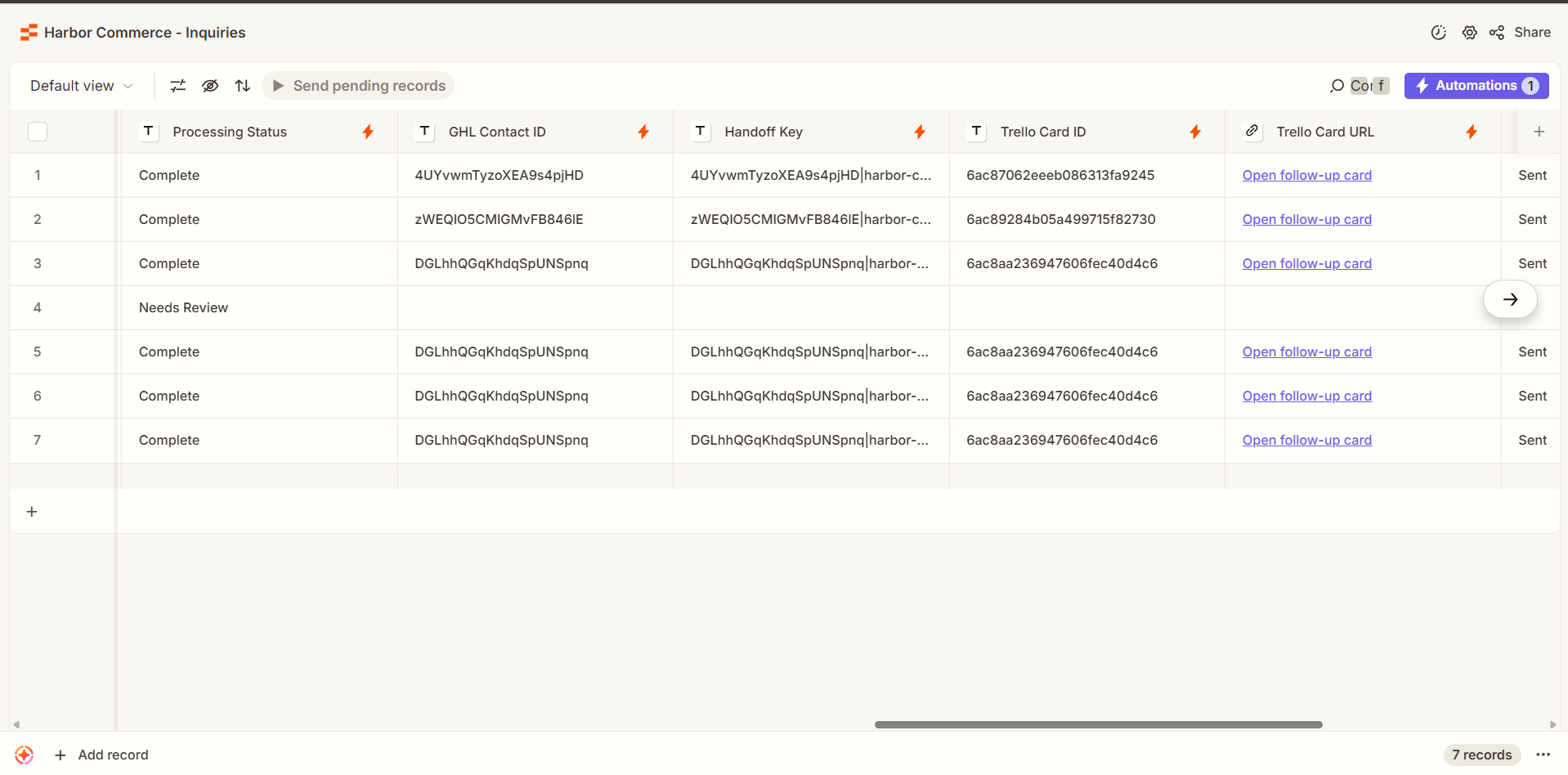
Repeat inquiries retain the same CRM contact and Trello card references. Invalid input stops before the CRM handoff.
Full sizePut the tools to work
Have a workflow
that needs attention?
Tell me which tools you use, where the work gets stuck and what should happen next.
Let's talk about your workflow